5. ATEM Video System
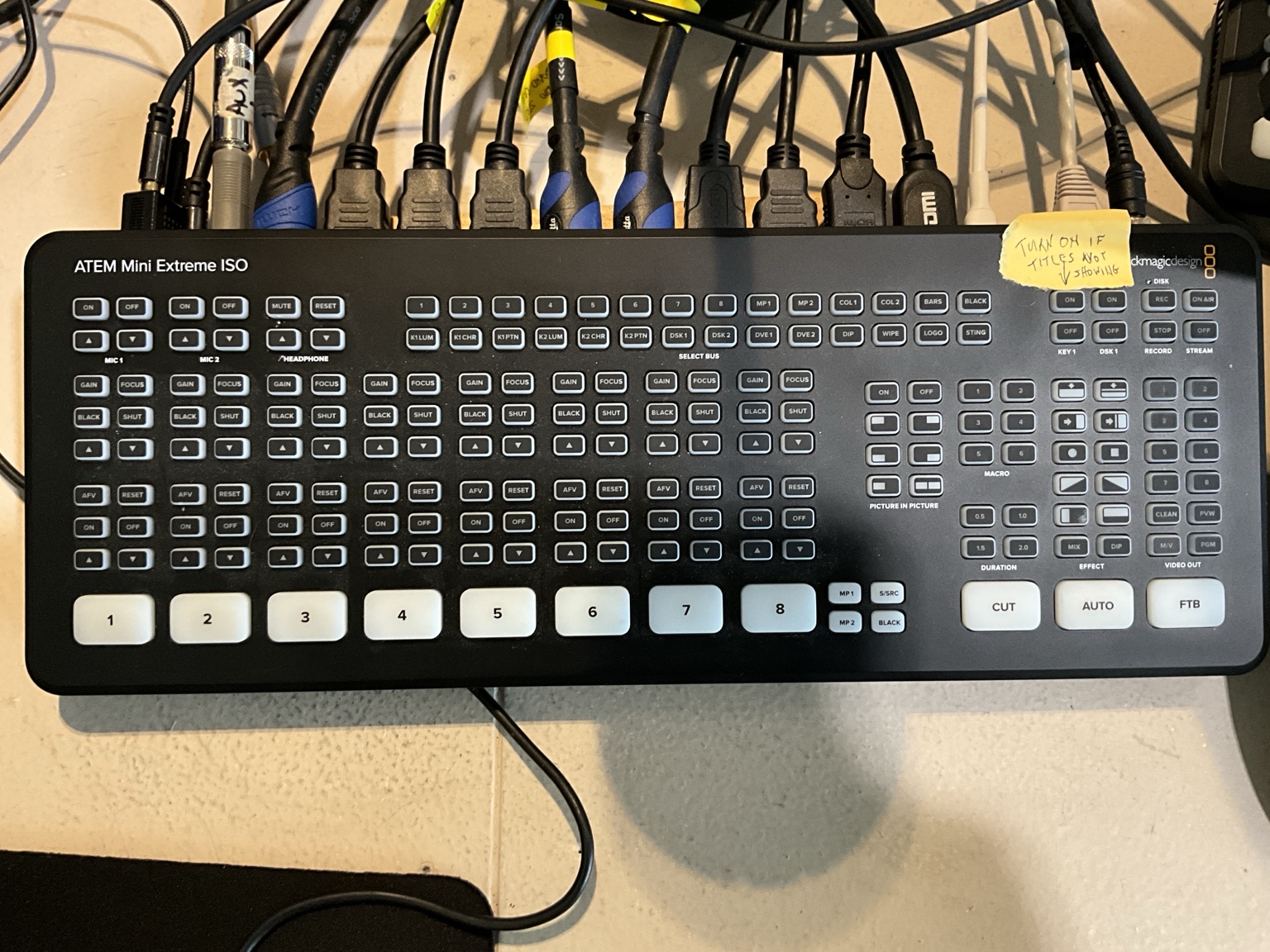
The primary switcher is a Blackmagic ATEM Mini Extreme ISO. It receives camera signals, selects the view seen by viewers, and sends program video onward through the broadcast system.
5.1 Multiview colors
- Red: Program — the source viewers currently see.
- Green: Preview — the source prepared to appear next.
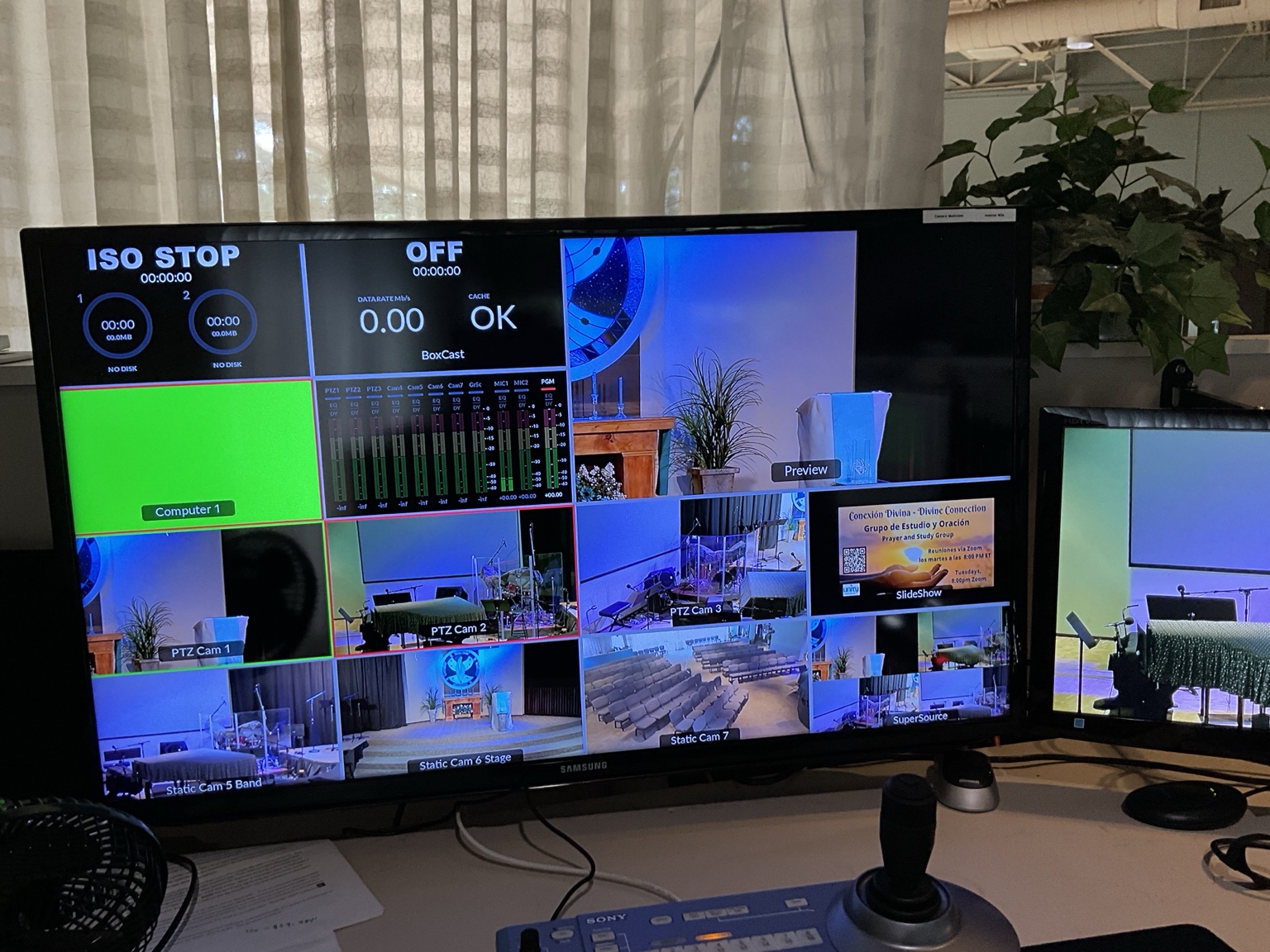
The multiview shows camera sources, Preview, Program, audio levels, and broadcast status.
5.2 CUT and AUTO
- CUT changes immediately from program to preview.
- AUTO performs the configured transition.
5.3 Backup switcher
An ATEM Mini Pro is retained as a backup. The replacement procedure belongs in Disaster Recovery and is not yet documented.
5.4 Broadcast audio entering the ATEM
The broadcast mix comes from M32 buses 7 and 8:
- Bus 7: Video Left
- Bus 8: Video Right
These buses control the stream mix without changing the sanctuary mix.
Recent ATEM Mic 1 reference settings were approximately −13 dB gain, 0 dB fader, with normal levels reaching high green or low yellow. These are reference values, not automatic instructions to change settings.
5.5 Installed rear connections
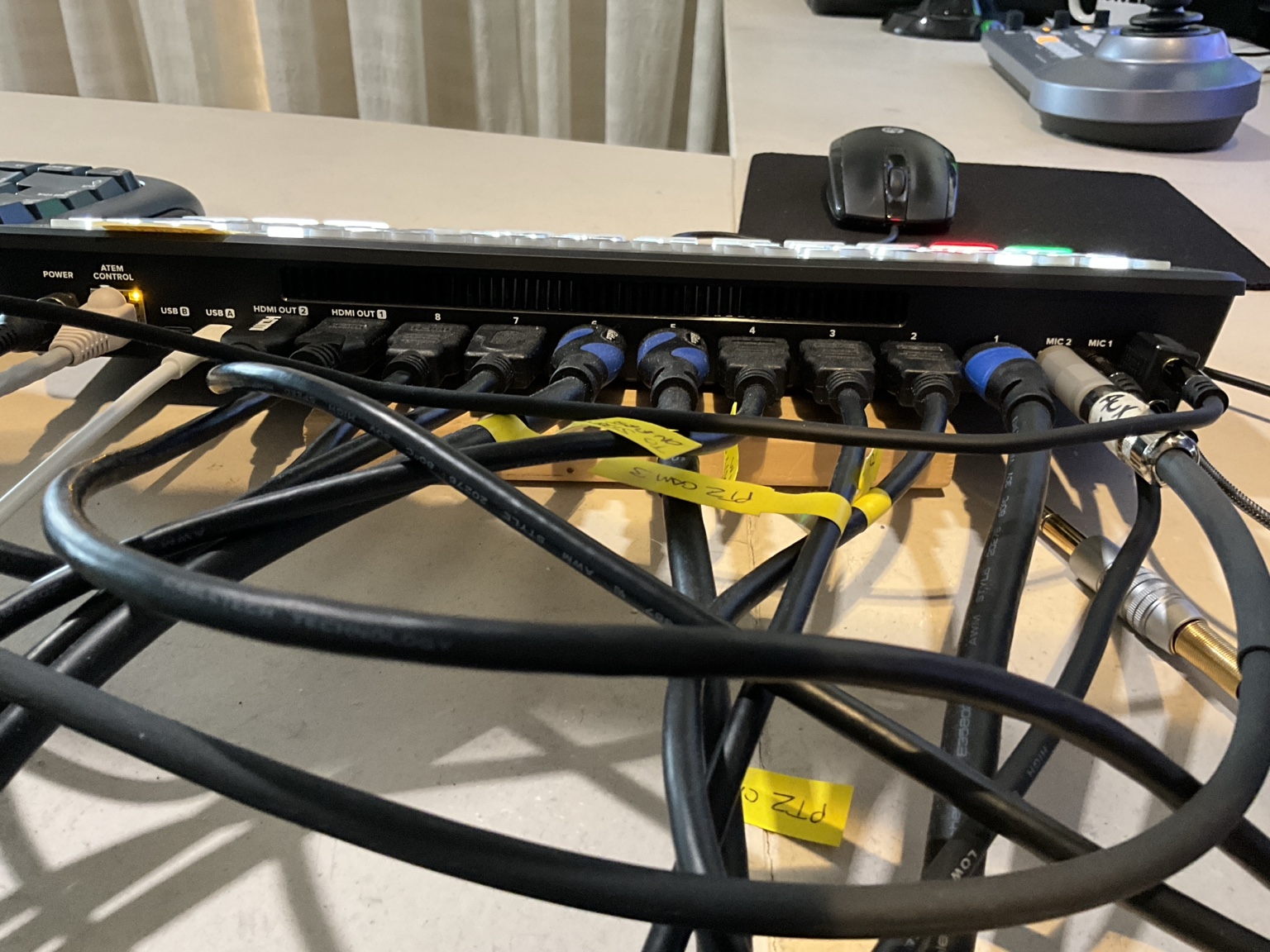
The ATEM as actually connected in the video booth. The numbered HDMI inputs are visible and can later be incorporated into a verified wiring table.
5.6 Feedback-loop warning
The ATEM return enters the M32 through Aux 3 and 4, presently called Video L/R Return.
Critical
Keep the return faders at negative infinity unless intentionally needed, and never send the ATEM return back to buses 7 and 8. A previous screeching/static failure was caused by the return feeding back into its own broadcast mix.